Setting up Razor Pay
Razor Pay
What is Razor Pay
Razorpay is the only converged payments solution company in India that allows your business to accept, process, and disburse payments via its product suite. With Razorpay, you have access to all payment modes, including credit and debit cards, UPI, and popular mobile wallets.
The most crucial quality of a payments solution is the ability to scale itself to meet your growing demands. At Razorpay, we are devoted to making sure you have the best payments infrastructure in place.
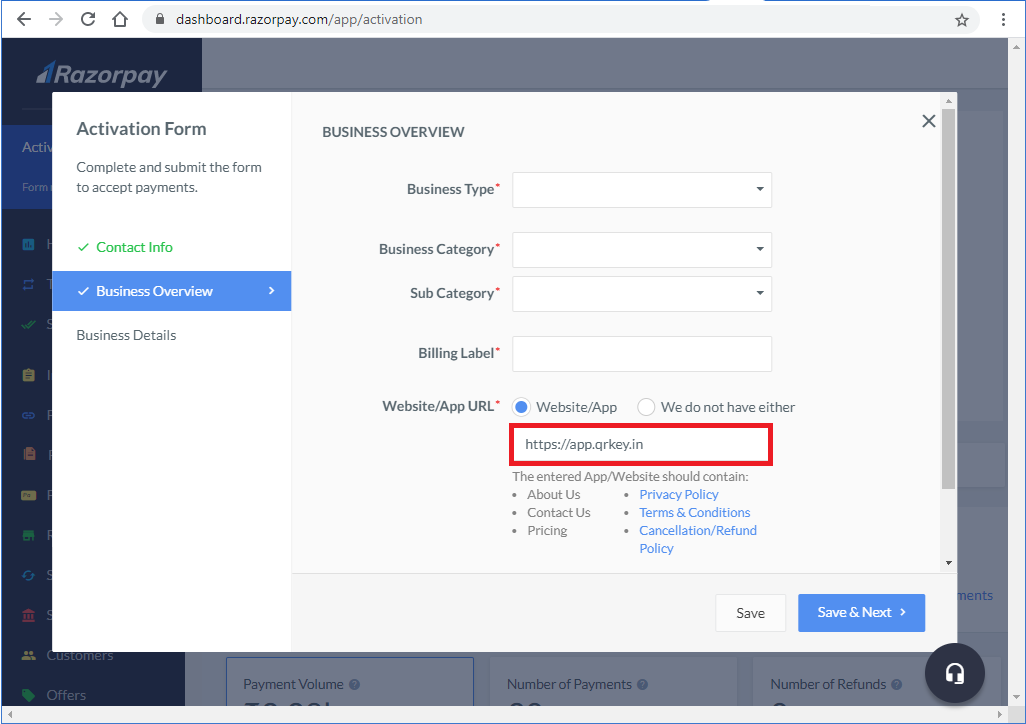
Razorpay Registration
- Please use below url under Website/App URL:
Integration
STEP 1 : Generate API Key
- Log into your Dashboard with appropriate credentials.
- Select the Live mode to generate the API key.
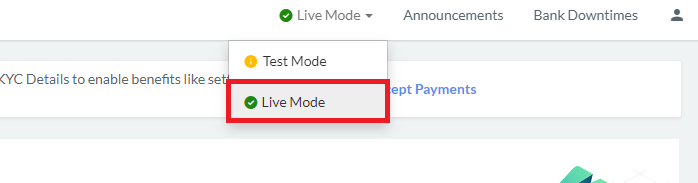
- Navigate to Settings → API Keys → Generate Key to generate key for the selected mode.
The Key Id and Key Secret appear in a pop-out window as shown below:
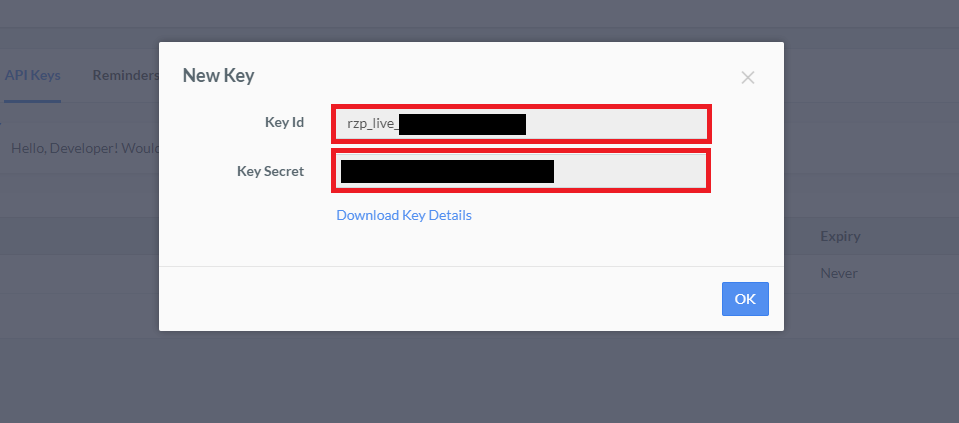
Note: After generating the keys from the Dashboard, download and save them securely. If you do not remember your API Keys, you need to re-generate it from the Dashboard and replace it wherever required.
STEP 2 : Webhook
- Navigate to Settings → Webhooks to generate key for the selected mode.
Webhook URL :
- Paste the above URL to Webhook URL
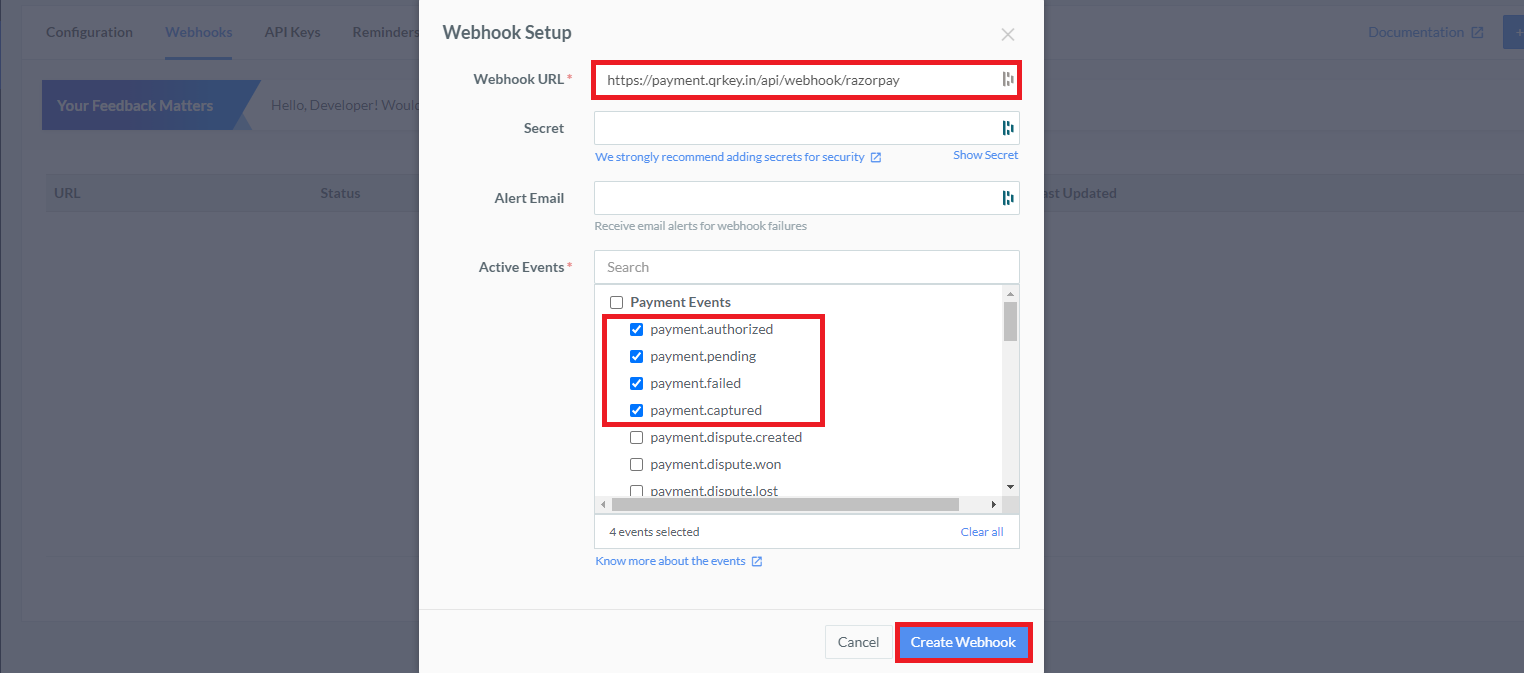
- Please select these options :
- payment.authorized
- payment.pending
- payment.failed
- payment.captured
Click on create webhook to proceed