Operational Settings
important
The details provided by you, while setting up these sections on QRkey systems reflects/displays on the customer interface as well. Hence, it is important to ensure that these details are accurate, error-free and qualify for client exposure.
Steps
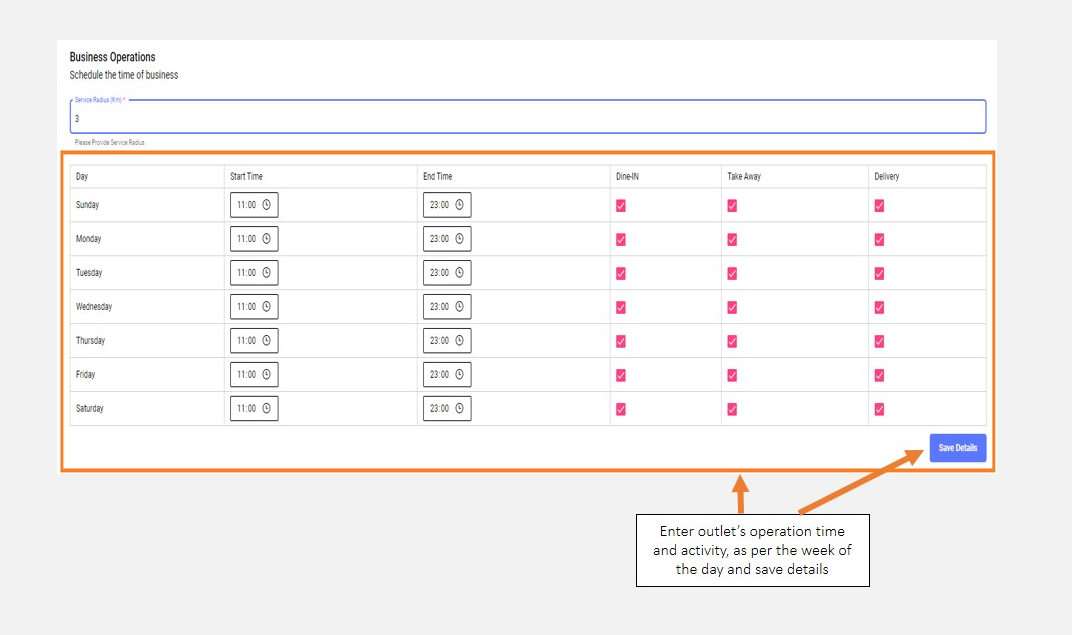
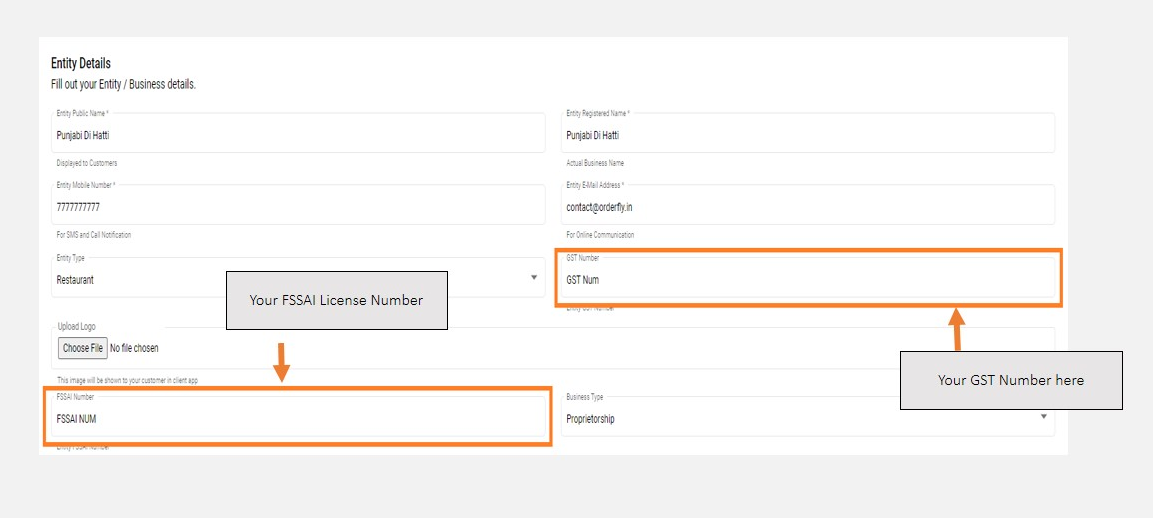
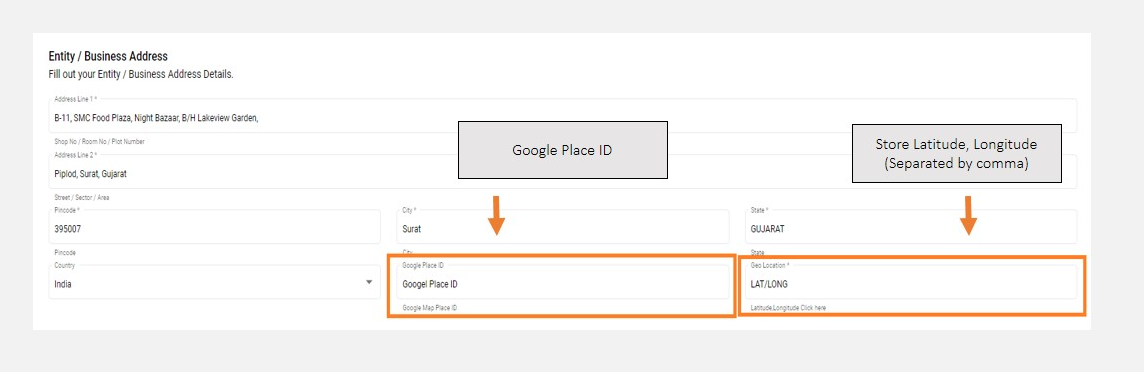
Click on "General Setting" to start the set-up process: In this section, you will set-up the outlets’ operational details; like days of operations in a week, time of operations each day, delivery service radius and licensing and compliance details like your FSSAI and GST numbers. In this section, you will also provide information like your geo-location details - your Google Place ID and Latitude, Longitude coordinates.
In the general setting page, you will find most details prefilled, with details provided by you during the registration stage. We, however, recommend that you cross-check and verify these details for correctness.
note
Your business should be registered on Google Maps for it to have a Google Place ID. In case it is not registered on Google Maps, you may provide an alpha, numeric entry in the place ID section, till the time you get your business registered on Google Maps.
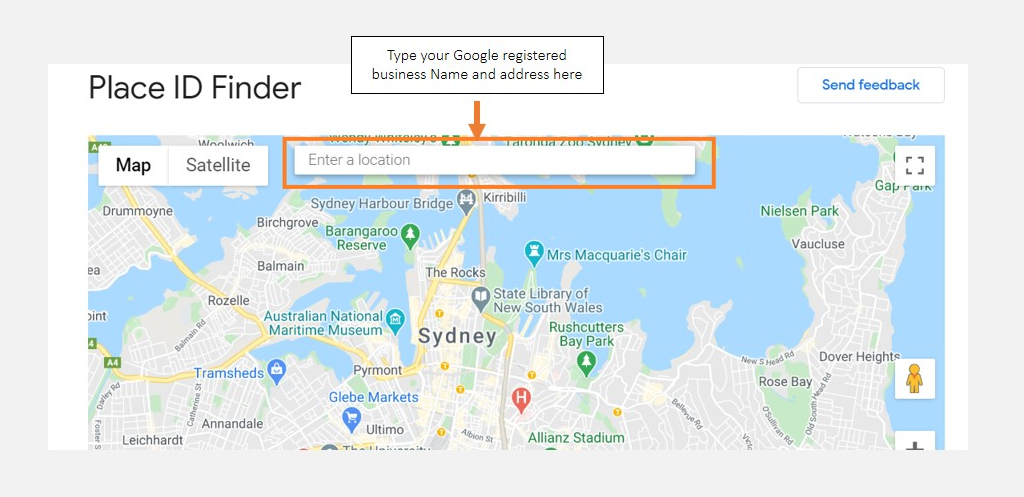
Visit this Link to find your place ID: https://developers.google.com/maps/documentation/javascript/examples/places-placeid-finder
Enter your business name and address in the box highlighted
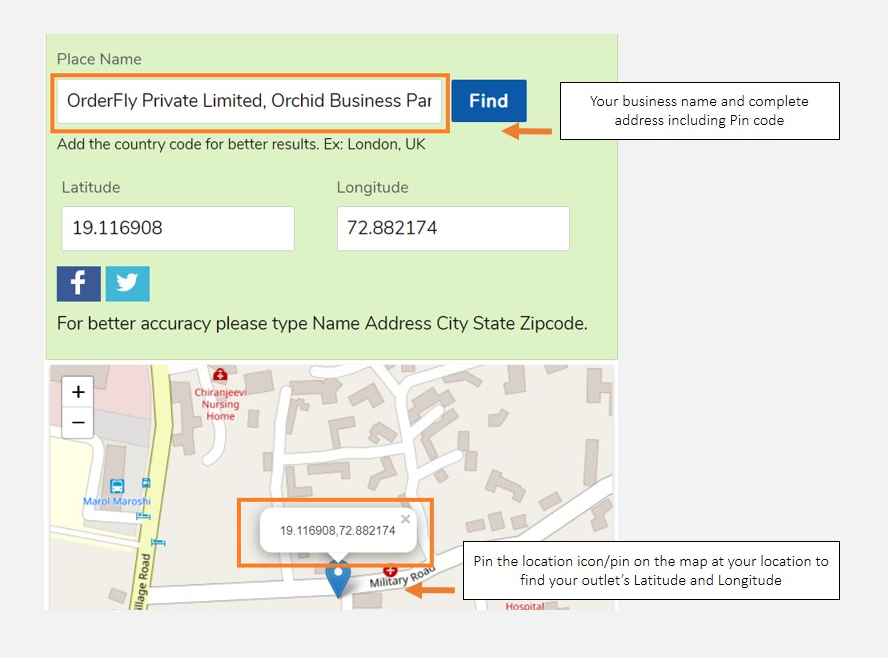
To find your Latitude, Longitude details you can visit: https://www.latlong.net/
You may also have to navigate and pin your exact location on the map included below to find your exact latitude, longitude details
- Having your business registered on Google Maps makes it easy for your customers to locate your outlet.
- Enter your business name and complete address including city name along with the location pin code.
- In this segment, check and verify crucial details like FSSAI and GST numbers
- Remember to fill in details like your Google place ID and latitude, longitude coordinates
- Submit the radius for which you service home delivery orders. Please note that the service radius you input is the perpendicular distance between your store location and the customer’s current location. Actual travel distance may vastly vary
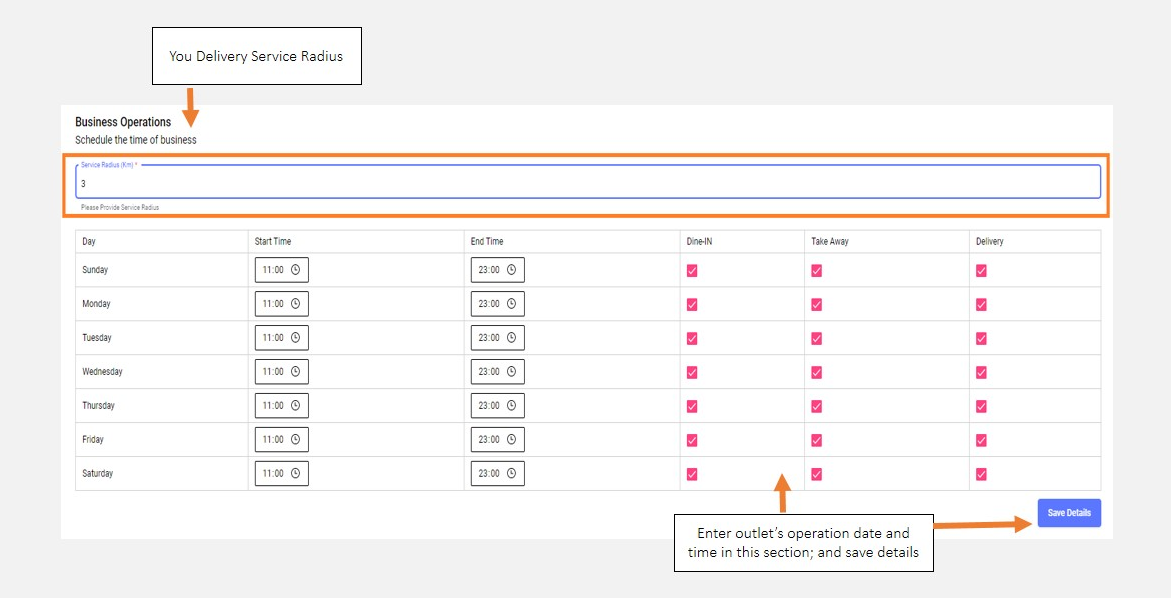
- Input your store operations’ daily timings along with the category of services offered by your store on each day and
Save Details