Client Installation and Setup for the outlet
- Widows MSI
- Widows EXE
note
To check system configuration- Visit: How to Check If Your Computer Is 32 Bit or 64 Bit in Windows?
note
Version : 1.8.23 Release Date : 23 Aug 2021 Release Note:
- Added Support to throw errors for Printer Connection Failed
- Bug Fixes
- Select the
Windows Zipoption and click on the "Download" button included in this section. Select the option which matches your systems configuration - Once the file is downloaded, cut/paste; move the zip file from the downloads folder and bring it to your desktop
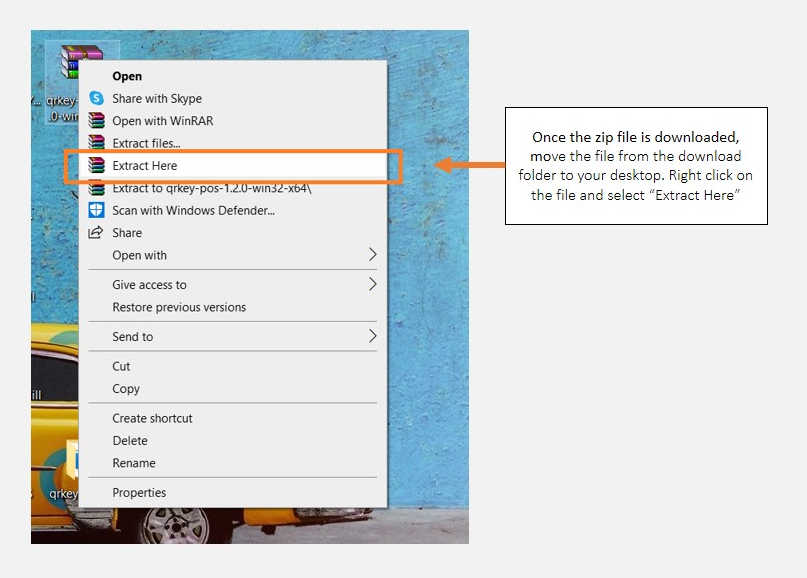
- Right-click the QRkey zip file on the desktop and choose the extract here option. A new folder with the QRkey setup files will get created on the desktop
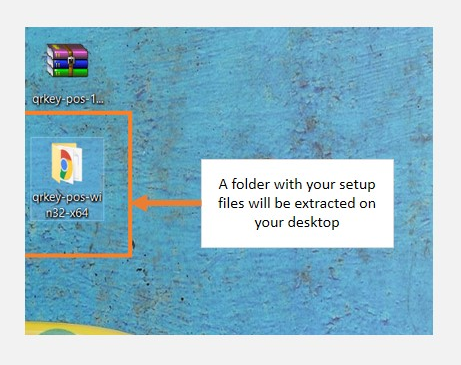
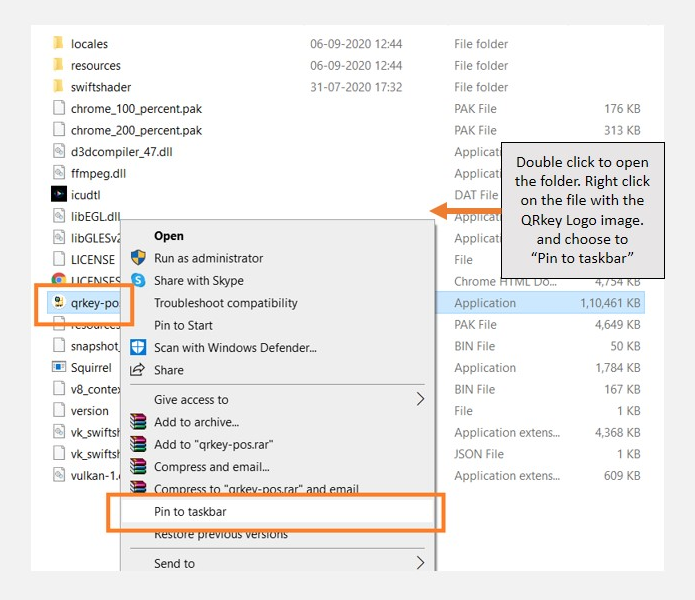
- Open this newly created QRkey setup folder. Right-click on the QRkey POS file in this folder and click, pin to taskbar
- An icon of the QRkey POS will get created on the taskbar of your computer
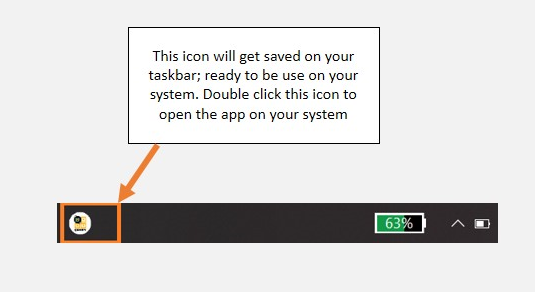
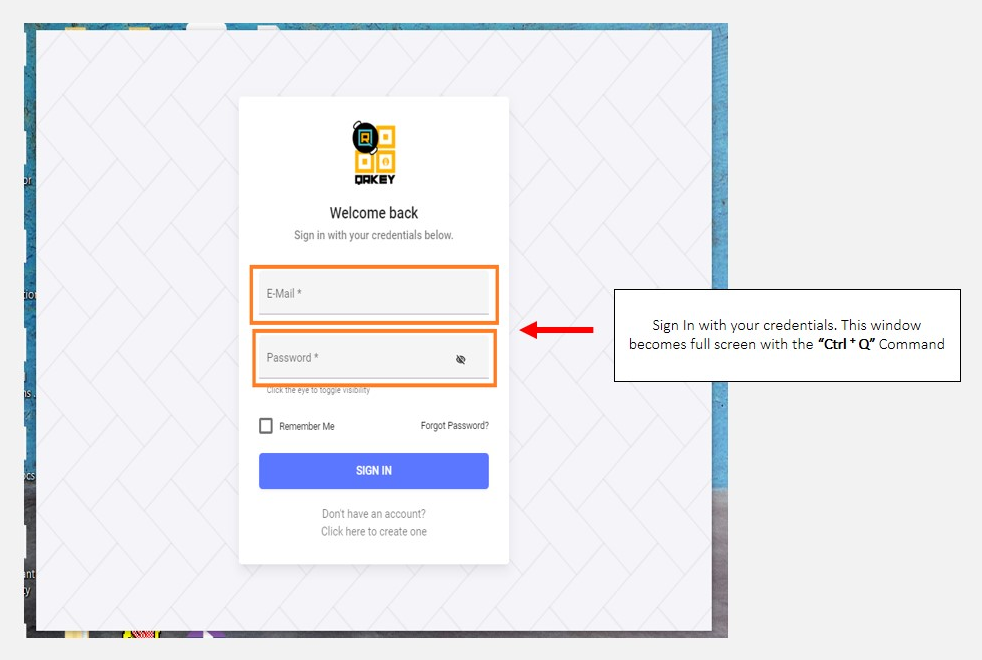
- Click the QRkey icon to open QRkey EXE. Use the command "Ctrl + Q" from your computer keypad to make the EXE view full screen.