Setting up table covers for the outlet
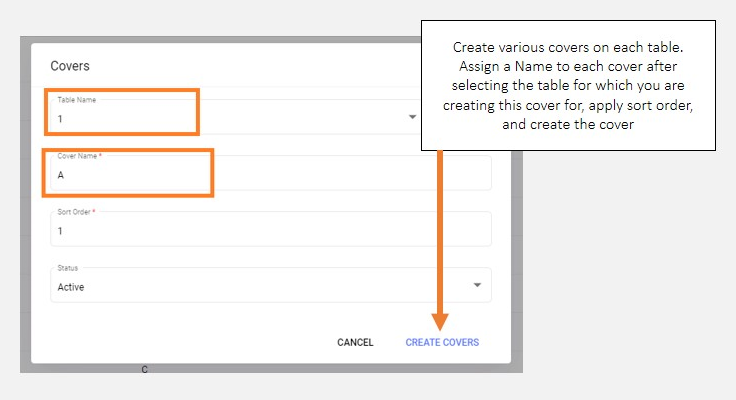
Click Covers from the entity settings menu options to start setting up table cover at the outlet, and integrated with the QRkey systems. Outlets may have different table cover counts depending on the table sizes and type of operations.
note
From a perspective of setting up table covers on QRkey systems, creating at least 1 cover for each table including the ones in the Home delivery and takeaway sections, is mandatory.
- Click the
+add button on your screen - From the tables drop-down list, select the table for which you wish to create a cover for
- Assign a cover name in the name column (Alphabetic names recommended- A, B, C, D, etc.)
- Creating at least one cover each for tables in the home delivery and takeaway sections is mandatory
- Assign a sort order number to this cover
- Mark the cover active and click
Create Covers