Setting up a kitchen for the outlet
note
Printers that you assign to each kitchen section using this step of the set-up process, will be utilized for printing the KOT during live operations at your outlet.
Click Kitchen from the entity settings menu options to start setting up the kitchen areas in the outlet, and integrated with the QRkey systems. Outlets may have one or more kitchen areas depending on their type and size of operations. E.g. A multi-cuisine restaurant may have a separate, cuisine-level kitchen operations and separate printers for each cuisine area. A different outlet serving multiple cuisines, on the other hand, might have a common kitchen and KOT printer, for all cuisine operations.
QRkey systems are compatible with both these types of operations and allow you to create kitchens, as per the operational requirements of the outlet.
- Start by clicking the
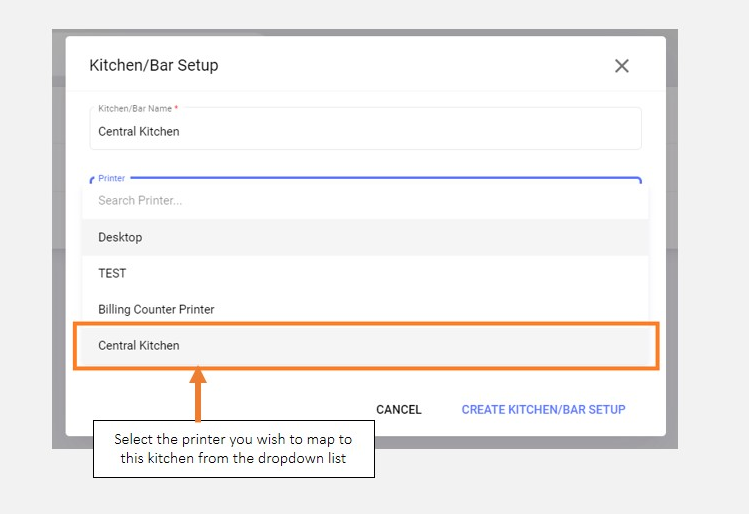
+add button on your screen - Assign a name of your choice to the kitchen
- Select the printer from the dropdown list and choose the applicable one
We advise using a kitchen name that is commonly used at your outlet. This helps maintain system familiarity and a smooth migration to QRkey systems.